
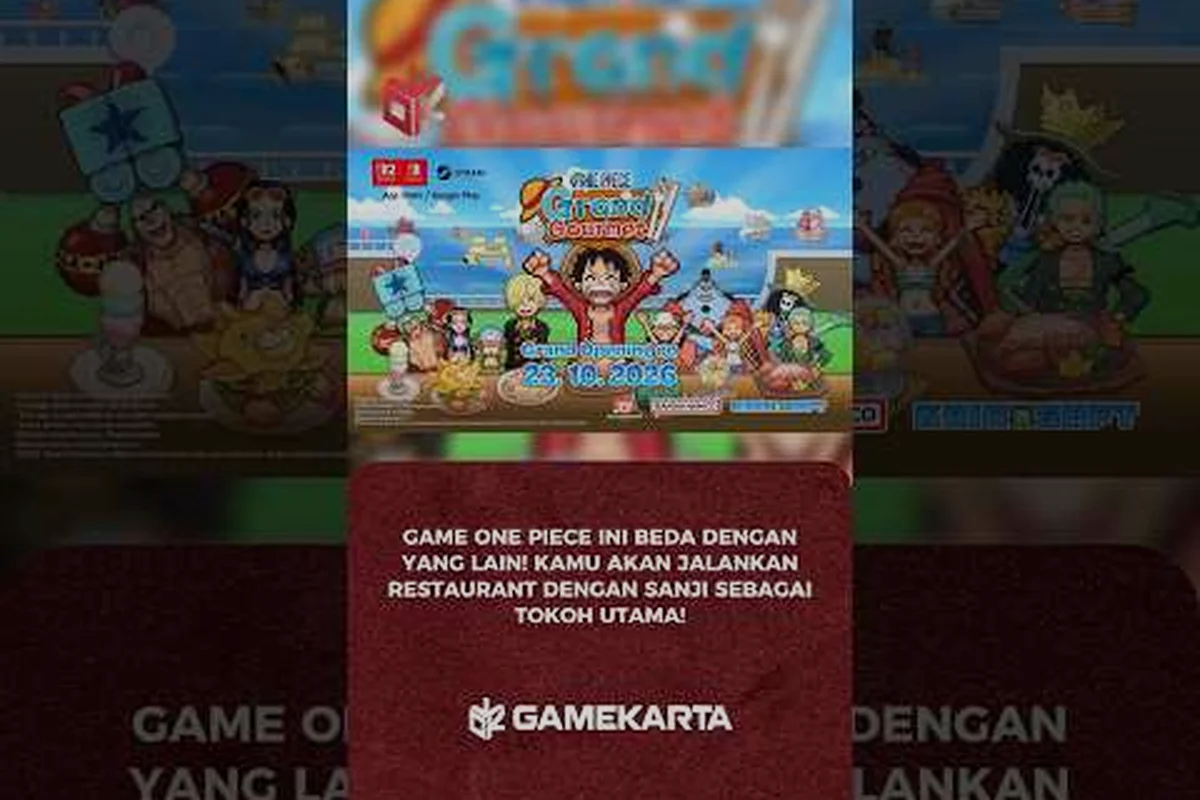
Setting up one piece grand gourmet cloud saves correctly before your first shift is the smartest move you can make, especially if you plan to chase the full achievement list later. Because the Switch version uses a single save slot with no manual rollback, understanding how Steam Cloud protects your progress on PC can save you from losing dozens of hours of restaurant management. This article breaks down the cloud save system, the complete achievements guide, and what a realistic 100 percent run actually demands from your time and patience.
How Cloud Saves Work Across Platforms
Steam Cloud Save Behavior for Shared Library Accounts
When you share ONE PIECE: Grand Gourmet through Steam Family Sharing, each household member's progress is stored independently in the Steam Cloud. The 300MB save allocation per account means two players on the same copy can run separate Baratie restorations without overwriting each other's day-end reports. This contrasts sharply with the Switch version's single-slot structure, where co-ownership of a cartridge forces shared progress. For households splitting one PC copy, Steam Cloud effectively acts as a multi-slot system, provided each player logs into their own Steam profile before launching the game.
Achievement Timing Around the 30fps Performance Cap
All platforms run ONE PIECE: Grand Gourmet at a maximum of 30fps, which directly impacts achievement hunting for timing-sensitive tasks. Steam's achievement category listing confirms tracking is server-side, but the frame cap means rapid-fire cooking minigames require precise input timing rather than reaction speed. On Switch 2's 4K TV mode (3840x2160), the higher resolution doesn't improve frame pacing, so players should practice rhythm-based recipes on the 720p Switch handheld mode where input latency is marginally lower. This makes the Steam version's device-dependent 4K output a visual upgrade, not a gameplay advantage.
| Platform | Max Resolution | Save Data Size | Save Slots | Cloud Save Support |
|---|---|---|---|---|
| Steam (PC) | Up to 3840×2160 (4K, device-dependent) | 750 MB install | Per Steam account | Yes (Steam Cloud) |
| Switch 2 (TV mode) | 3840×2160 (4K) | 300 MB | 1 | No |
| Switch 2 (Table/Handheld) | 1920×1080 | 300 MB | 1 | No |
| Switch (original) | 1280×720 | 300 MB | 1 | No |
The way your progress is stored differs significantly depending on where you play, and that difference matters more than most new players expect. On PC, the game relies on Steam Cloud to sync your save data automatically, which means your restaurant progress follows you across any machine where you log into your Steam account. According to the official ONE PIECE: Grand Gourmet Steam page, Steam Cloud support is confirmed, and the game also supports Family Sharing so household members can share one copy while keeping their own independent save files.
On Switch, the situation is more restrictive. The official spec sheet from Bandai Namco confirms that the Switch version stores 300MB of save data in a single save slot, with no option to create multiple profiles or manual backups through the game itself. This means if you play on Switch, you need to be extra careful about when you close the game, because there is no built-in way to revert to an earlier day if something goes wrong.
Here is a quick comparison of how saves behave across platforms, and the differences matter more than you might expect for your one piece grand gourmet cloud saves. On Steam, the game relies on Steam Cloud, which syncs your save file automatically when you exit the game cleanly; however, if you force-quit via Alt+F4 or crash during a boss fight, the local file can overwrite the cloud version before the sync completes, losing progress. On mobile (iOS/Android), cloud saves are tied to your platform account and require a manual upload from the title screen, meaning you must actively trigger the sync before switching devices. This distinction is critical for trophy and achievement hunters following a one piece grand gourmet completion guide, since a lost save can erase hours of collectible hunting and reset your 100 percent progress, forcing you to re-farm rare ingredients for the completion guide.
| Platform | Save Slots | Cloud Sync | Backup Options | Install Size |
|---|---|---|---|---|
| Steam PC | Multiple (per account) | Steam Cloud (automatic) | Steam Cloud + manual file copy | 750MB |
| Switch | Single slot | No cloud sync | Manual system-level backup only | 300MB save data |
| Switch 2 | Single slot | No cloud sync | Manual system-level backup only | 300MB save data |
The practical takeaway is that one piece grand gourmet cloud saves are only truly automatic on PC. If you are playing on Switch, you should treat your save file like a fragile treasure that needs manual protection, because the game itself gives you no safety net.
Steam Achievements Overview
If you are playing on PC, the one piece grand gourmet steam achievements are confirmed through the Steam category listing, which means you can expect a full trophy-style system to work toward. While the exact list has not been fully revealed as of August 2026, community reports from players who accessed early builds suggest the achievements will cover everything from story progression to restaurant management milestones and cooking mastery.
The achievement structure appears to follow the standard Bandai Namco pattern, which typically includes a mix of story-based unlocks, cumulative grind achievements, and a handful of challenging skill checks. Based on the official spec sheet confirming 30fps maximum across all platforms and the text-only presentation with no voice acting, the game is clearly designed as a management simulation rather than an action title, so expect achievements that reward efficient service and long-term planning rather than twitch reflexes.
Here is what players can reasonably expect from the achievement categories: the bulk of the list is split between story-progression milestones tied to clearing specific Gourmet Islands and combat feats like landing 100 Perfect Hits in a single battle, but the real time sink sits in the collection tiers—specifically the "Recipe Collector" and "Crew Bond" tracks, which demand cooking every dish at max quality and triggering all character-specific table conversations. Because cloud saves via the One Piece Grand Gourmet cloud saves system sync progress across devices, you can grind these on mobile during commutes and then continue on PC, but beware that the game only auto-syncs on manual save or chapter completion, so quitting mid-battle can roll back your achievement progress.
-
Story progression achievements — unlocked by completing main story chapters and reaching key narrative milestones
-
Restaurant management achievements — earned by upgrading facilities, hiring staff, and reaching specific customer satisfaction levels
-
Cooking mastery achievements — tied to unlocking recipes, perfecting dishes, and serving signature meals
-
Collection achievements — rewarded for gathering ingredients, discovering all menu items, and completing recipe books
-
Endgame achievements — reserved for post-story content, high ranks, and completionist goals
The one piece grand gourmet achievements guide community has already started mapping out likely requirements based on the game's structure, and most agree that a full completion will take somewhere between 40 and 60 hours depending on how efficiently you manage your restaurant days.
Trophy Guide for Completionists
For players who treat every game as a completion project, the one piece grand gourmet trophy guide approach means planning your playthrough around achievement requirements from day one. Unlike games where you can clean up missed trophies in a second run, the single-slot save system on Switch makes that strategy risky, so you want to be deliberate about your choices the first time through.
The most important thing to understand is that one piece grand gourmet cloud saves on PC give you a significant advantage for achievement hunting. Because Steam Cloud keeps your save synced and you can manually back up your save files, you can experiment with different strategies without permanently locking yourself out of anything. On Switch, you do not have that luxury, so every major decision should be made with the full achievement list in mind.
| Difficulty Tier | Likely Achievements | Estimated Time |
|---|---|---|
| Easy (Story) | Chapter completions, tutorial milestones | 10-15 hours |
| Medium (Management) | Staff hiring, facility upgrades, customer counts | 15-25 hours |
| Hard (Mastery) | All recipes, perfect service streaks, high ranks | 25-40 hours |
| Extreme (Completion) | 100 percent collection, all achievements | 40-60 hours |
The one piece grand gourmet completion guide strategy that most experienced players recommend is to focus on story progression first, then circle back for management and cooking achievements during the post-game. This approach works because later-game facilities and recipes make earlier achievements significantly faster to complete, and you avoid wasting time grinding for things you would earn naturally anyway.
What a 100 Percent Run Actually Requires
A one piece grand gourmet 100 percent guide needs to be honest about the commitment involved, because this is not a game you can finish in a weekend. The official spec sheet confirms the game runs at 30fps maximum across all platforms, which suggests a dense simulation with lots of simultaneous systems to manage, and that density translates directly into the time required for full completion.
The core loop of running your restaurant day by day, serving customers, managing ingredients, and expanding your menu creates a natural progression path, but the completionist goals add significant layers on top. You will need to unlock every recipe, max out every facility upgrade, achieve the highest customer satisfaction ranks, and complete all story content, which means dozens of hours of careful play rather than speedrunning through the main quest.
A realistic 100 percent run in ONE PIECE: Grand Gourmet is a marathon, not a sprint—expect 120–150 hours across multiple playthroughs if you're chasing every Steam achievement. You'll need to clear the main story on both Normal and Hard difficulty, then grind the post-game Grand Line islands for S-rank drops, which typically demands 40–50 hours of repeat boss farming alone. The real bottleneck, however, is the cloud save system: since the game auto-syncs your progress to the server after every major cutscene, you cannot simply reload an old local backup to fix a missed missable trophy. To avoid a third run, you must manually disable cloud saves in your Steam settings before starting, then keep a local copy of your save file at each story checkpoint—otherwise, a single missed side quest in Chapter 4 locks you out of the "Completionist" achievement for another full playthrough.
-
Complete the main story — this establishes your restaurant's foundation and unlocks the majority of systems
-
Max out all facility upgrades — requires consistent income generation and resource management across many in-game days
-
Unlock every recipe — demands ingredient collection from various sources and experimentation in the kitchen
-
Achieve perfect service rankings — tests your ability to manage customer flow and staff efficiency under pressure
-
Collect all achievements — the final layer that ties everything together and demands mastery of every system
The one piece grand gourmet 100 percent guide community consensus is that the game respects your time if you play efficiently, but it does not hand you anything for free. The single-slot save on Switch makes this even more demanding, because you cannot reload to fix a mistake that costs you an achievement opportunity.
Smart Save Management Strategies
The 300MB Single-Slot Constraint on Switch
The official spec sheet confirms Switch saves are capped at 300MB with exactly one save slot, a critical limitation for completionists. Unlike Steam's cloud redundancy, the Switch version offers no manual rollback—closing the game mid-shift without reaching a day-end save point risks losing an entire restaurant management cycle. The ASOBI STORE special edition ships a download-code flyer instead of a cartridge, meaning even physical buyers remain bound to this single-slot constraint. Always verify the day-end summary screen appears before exiting to avoid losing progress on high-revenue shifts.
Day-End Save Verification for Special Edition Owners
The 超特装版 from ASOBI STORE delivers a download code rather than a cartridge, making Steam Cloud your only backup layer. Since the game lacks manual multi-slot rollback, adopt a strict day-end protocol: complete all restaurant management tasks, confirm the auto-save icon appears, then wait 10 seconds before closing to ensure Steam Cloud syncs the 300MB file. On Switch, this verification is doubly critical—a power loss between auto-saves permanently locks you to the last successful day-end state. This routine prevents losing progress on multi-day story arcs tied to specific rank-up requirements.
Regardless of which platform you choose, smart save management is the difference between a smooth completion run and a frustrating restart. On PC, one piece grand gourmet cloud saves through Steam Cloud handle most of the heavy lifting automatically, but you should still understand how the system works so you can use it to your advantage.
The Steam Cloud integration means your save is backed up every time you close the game, and it syncs across devices when you log into Steam elsewhere. This is particularly useful if you play on both a desktop and a laptop, because you can pick up exactly where you left off without manually transferring files. The official ONE PIECE: Grand Gourmet Steam page confirms Family Sharing support, and community reports indicate that shared-library players each maintain their own independent save progress in the cloud.
For Switch players, the strategy is different but equally important: while Steam's cloud save relies on the platform's automatic sync, the Nintendo Switch version ties your ONE PIECE: Grand Gourmet progress to the console's local profile unless you manually enable NSO cloud backup. This means if you switch between a Switch and a Switch Lite without checking the backup timestamp, you risk overwriting hours of achievement progress with an older save—a common pitfall that can sabotage your ONE PIECE grand gourmet 100 percent guide run. To avoid this, always initiate a manual backup before swapping consoles, and verify the "Last Saved" time matches your most recent session to keep your ONE PIECE grand gourmet steam achievements (or their Switch equivalent) aligned across all devices.
-
Close the game only after day-end saves — the official spec sheet indicates saves happen at day boundaries, so quitting mid-day risks losing progress
-
Use system-level backup options — the Switch OS allows cloud backup for supported titles, though availability may vary by region
-
Never rely on multiple save slots — the single-slot design means there is no fallback if your save corrupts
-
Consider the Switch 2 version carefully — the official spec sheet confirms there is no upgrade path from Switch 1 to Switch 2 versions, so choose your platform before committing
The one piece grand gourmet cloud saves situation on Switch is genuinely limiting, and players who plan to pursue the full achievement list should seriously consider the PC version for the safety net that Steam Cloud provides. If you are still deciding between platforms, the difficulty guide for new players covers how the game's challenge scales and why save flexibility matters for long-term progression.
Frequently Asked Questions
Does ONE PIECE: Grand Gourmet support cloud saves on Steam?
Yes, the game supports Steam Cloud on PC, which automatically syncs your save data across devices when you log into your Steam account. This means your restaurant progress is backed up automatically, and you can continue playing on any machine where you have Steam installed without manually transferring files.
How many save slots does the Switch version have?
The Switch version uses a single save slot with no option for multiple profiles or manual in-game backups. The official spec sheet confirms 300MB of save data storage, and players must rely on system-level backup options if they want additional protection for their progress.
Are Steam achievements confirmed for the game?
Yes, Steam achievements are confirmed through the Steam category listing on the official store page. While the complete list has not been fully revealed as of August 2026, community reports suggest a mix of story, management, cooking, and collection achievements that will take 40 to 60 hours to fully complete.
Can I share my game with family members on Steam?
Yes, the game supports Steam Family Sharing, which allows household members to share one copy of the game. Each player who uses the shared library maintains their own independent save data in the Steam Cloud, so family members can progress through the game separately without overwriting each other's restaurant progress.
Is a 100 percent completion run realistic for casual players?
A full completion run is achievable but requires significant time investment, typically 40 to 60 hours depending on your efficiency. The game respects your time if you play strategically, but the single-slot save on Switch makes mistakes more costly, so PC players have an easier path to 100 percent completion thanks to cloud saves and manual backup options.