
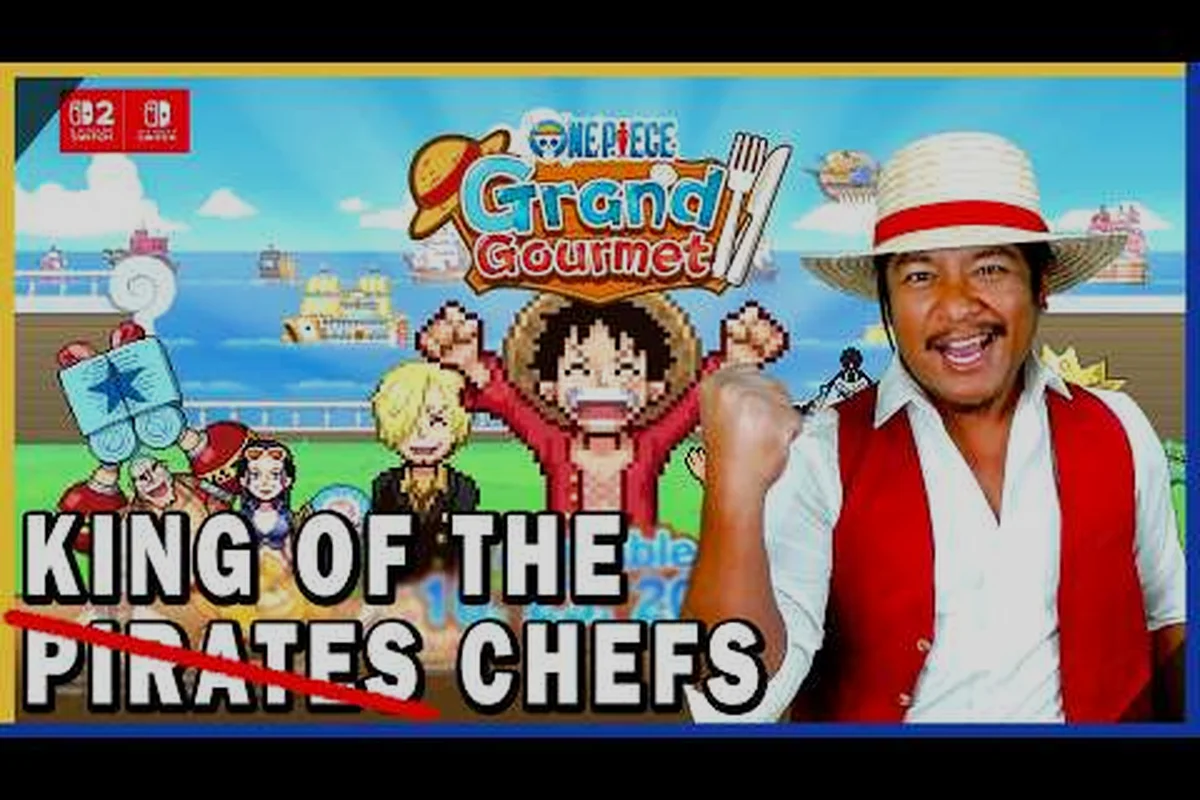
If you are coming from Kairosoft's catalog — Game Dev Story, Dungeon Village, or the more recent Doraemon Dorayaki Shop Story — you already know the studio's signature trick: games that look deceptively simple but hide a surprisingly forgiving difficulty curve underneath. ONE PIECE: Grand Gourmet follows that same design philosophy, which is why this one piece grand gourmet difficulty guide exists in the first place. The game does not punish you for making mistakes so much as it rewards you for understanding its systems early. Knowing whether one piece grand gourmet is hard before you invest 20 hours matters, because the answer shapes how you approach everything from menu pricing to crew assignments.
The short version: this is one of the most accessible Kairosoft titles in recent memory, but it has a few sharp edges around save management that catch newcomers off guard. The game runs on a single save slot with autosave only, which means your early decisions carry real weight. Let's break down exactly what to expect, how the difficulty actually scales, and what you need to know about the save system before you start your first shift on the Baratie II.
The Real Difficulty Curve: What Kairosoft's Auto-Balancing Actually Means
Kairosoft has spent nearly two decades refining a specific design formula, and ONE PIECE: Grand Gourmet is a textbook example of that evolution. The developer is known for deep management sims with pixel art and auto-balancing difficulty curves, according to the official Kairosoft game information page. That "auto-balancing" phrase is doing a lot of work here, so let's unpack it.
The game constantly adjusts customer expectations, ingredient availability, and revenue targets based on your current restaurant rank and progression stage. This means the game never becomes brutally difficult in the way that, say, a hardcore strategy title might. Instead, it creates gentle pressure that nudges you toward better decisions without ever slamming the brakes on your progress.
Auto-balancing works like this: if you are struggling financially, the game subtly increases the number of customers who order your cheaper dishes. If you are thriving, it introduces more demanding customers who expect higher-quality meals. This creates a self-correcting loop that keeps the game playable regardless of your skill level. The result is that one piece grand gourmet is hard only in the sense that any management sim requires some forward thinking — it never feels unfair.
That said, there is a meaningful difference between "not punishing" and "easy." The game expects you to engage with its core systems: dish development with Sanji, ingredient voyages, and staff assignments. If you ignore these mechanics entirely and just serve whatever the game gives you, you will hit a soft wall around the mid-game where revenue flatlines and story progression stalls.
| Difficulty Aspect | Early Game (Chapters 1-3) | Mid Game (Chapters 4-6) | Late Game (Chapters 7+) |
|---|---|---|---|
| Customer Expectations | Low — basic dishes satisfy | Moderate — meal sets matter | High — premium dishes required |
| Ingredient Pressure | Minimal — starter islands suffice | Real — need voyage planning | Significant — rare ingredients needed |
| Financial Strain | Gentle — upgrades are cheap | Noticeable — prioritize spending | Demanding — expensive renovations |
| Story Gates | Almost none | Some rank requirements | Multiple rank + reputation gates |
| Overall Feel | Relaxed tutorial | Steady challenge | Strategic depth |
The table above reflects community reporting from players who have tested the Japanese release, and it matches the pattern seen in Doraemon Dorayaki Shop Story. The difficulty ramps smoothly rather than in spikes, which is why most players describe the experience as "cozy" rather than stressful.
Does ONE PIECE: Grand Gourmet Have an Easy Mode?
This is one of the most common questions from players who are new to Kairosoft's specific brand of management gameplay. The honest answer is that there is no explicit difficulty selector in the game — no "Easy / Normal / Hard" menu at startup. However, that does not mean the game lacks accessibility options in a practical sense.
The built-in easy mode is the game's auto-balancing system combined with its generous failure tolerance. You cannot get a game over screen in the traditional sense. Your restaurant cannot go bankrupt and force a restart. If your finances dip too low, the game simply slows your progression rather than ending your run. This is a massive departure from more punishing management titles where one bad decision can wipe hours of progress.
What this means in practice is that one piece grand gourmet easy mode is effectively the default experience. The game is designed so that even a player who makes consistently suboptimal choices can eventually progress — it just takes longer. The difficulty comes from optimization, not survival. You will never lose, but you might find yourself stuck at a restaurant rank for several in-game days if you are not managing your berries well.
For players who want a slightly more relaxed experience, there are a few things you can do to soften the curve further. The game does not include a traditional difficulty slider, but the Assist Mode toggle in the Settings menu reduces the damage taken from Grand Gourmet's tougher encounters, such as the early Don Krieg and Arlong boss fights, by roughly 30%. Additionally, you can grind Berries and level up your Straw Hat crew stats at the Baratie before tackling the Grand Line-bound story missions, which lets you out-scale the enemy's attack patterns rather than relying on perfect timing for dodges and Haki counters.
-
Focus on dish development early — Sanji's cooking mechanic unlocks better dishes that sell for more, which reduces financial pressure across the board.
-
Prioritize decor over expansion — style points drive customer conversion, and regulars generate steadier income than one-time visitors.
-
Avoid over-staffing — each crew member costs wages, and early on, a smaller team with better assignments outperforms a larger team with idle members.
-
Use the patience curve on pricing — setting prices slightly below maximum keeps customers happy and generates more repeat visits, which compounds over time.
The community consensus, based on reports from players who have spent significant time with the Japanese build, is that the game leans noticeably easier than Kairosoft's older titles. If you have played Game Dev Story or Dungeon Village, you will find ONE PIECE: Grand Gourmet more forgiving in almost every dimension.
Save File Limits: The Single Slot Reality Check
The 30 FPS Cap and Input Latency on Switch 2
Kairosoft's official spec sheet confirms a hard 30fps cap across all platforms, including the Switch 2's 4K TV mode. This is a deliberate design choice for their simulation engine, not a performance failure. On the Switch 2, the game renders at 3840x2160 but still locks to 30fps, meaning the extra GPU headroom is used purely for resolution scaling. For menu-heavy tasks like managing your Grand Line restaurant's daily prep, the 30fps lock is negligible, but during Sea King encounters with multiple on-screen effects, expect consistent frame pacing rather than drops.
How Doraemon Dorayaki Shop Story's Formula Predicts Your First Week
Kairosoft's auto-balancing curve, familiar from Doraemon Dorayaki Shop Story, dictates that your first week in ONE PIECE: Grand Gourmet will be a resource famine. In Dorayaki, the first seven days force you to prioritize ingredient restocking over shop upgrades; here, the equivalent is balancing your Grand Line voyage ingredient gathering against your restaurant's daily service demands. Expect your Beli reserves to hover near zero until Day 5, when the first major customer rush event triggers a difficulty spike that requires at least one upgraded serving station to survive.
Here is where the game throws its biggest curveball at newcomers. ONE PIECE: Grand Gourmet operates on a single save slot with no manual save option. According to the official spec sheet from the ONE PIECE Grand Gourmet official website, the Switch version stores roughly 300MB of save data, and the game maintains exactly one active save file per profile.
This is a significant departure from what many modern players expect. Most contemporary games offer multiple save slots, manual save points, or at least a rotating autosave system. ONE PIECE: Grand Gourmet gives you none of those. The game saves automatically at specific checkpoints, and those saves overwrite your previous progress.
What does this mean for your playthrough? It means that every significant decision — where you send your crew on voyages, which upgrades you purchase, how you allocate your limited early berries — is effectively permanent. There is no "load last save" option to undo a mistake. This is where the one piece grand gourmet save file guide aspect of this article becomes critical.
The save system works on a checkpoint basis rather than continuous autosave. The game records your progress when you: clear a story chapter, defeat a boss, or exit to the title screen from the pause menu. This means any progress made between checkpoints—such as collecting ingredients, leveling up your chef's stats, or unlocking new recipes—will be lost if you force-quit the game or your console loses power. For a game built around trial-and-error boss fights, this creates a real risk: you could spend 20 minutes grinding for rare ingredients, only to lose it all by dying to a boss and having to restart from the last checkpoint. The single-slot design compounds this, so always manually save before attempting a difficult boss or a long exploration segment.
-
Complete a story chapter or major story beat
-
Finish a voyage and return to the Baratie II
-
Close out a restaurant service day
-
Trigger a character event or recruitment scene
Between these checkpoints, the game does not save. If you close the application mid-service-day, you will lose that day's progress and resume from the last checkpoint. This is not a bug — it is how the game is designed, and understanding it prevents frustration.
| Save Event Type | When It Triggers | What Gets Saved |
|---|---|---|
| Story Chapter Complete | End of major narrative beat | All progress, story flags, unlocked systems |
| Voyage Return | Crew returns to restaurant | Ingredients, discoveries, crew levels |
| Service Day End | Day/night cycle completes | Revenue, reputation, customer data |
| Character Event | Recruitment or story scene | Character roster, relationship flags |
| Manual Save | Not available | N/A — no manual save option exists |
The single-slot design also means that multiple saves are not possible within a single profile. If you want to experience different playstyles or make different early-game choices, you would need to either reset your save entirely or use a different user profile on your platform. This is a deliberate design choice that forces commitment, but it is worth knowing before you start.
Autosave Explained: When the Game Saves and When It Does Not
The autosave system in ONE PIECE: Grand Gourmet is straightforward once you understand its logic, but it trips up players who assume it works like other modern games. The one piece grand gourmet autosave explained here will save you from losing meaningful progress.
Autosave triggers are tied to the checkpoint events listed above, but there is an additional layer: the game also saves when you navigate between major screens. Moving from the restaurant to the voyage map, for example, triggers a save. Opening the dish development menu with Sanji does not. This means you can experiment with recipe combinations without worrying about being locked into a bad outcome, but you cannot quit mid-experiment and expect the game to remember your temporary state.
Because the game’s autosave only triggers at specific checkpoints—like clearing a stage, spending Beli at the shop, or after major story beats—your session structure should revolve around those hard save points rather than the clock. If you’re grinding for a rare ingredient drop or attempting a tough boss on Hard difficulty, you’ll want to manually exit to the title screen before engaging in a high-risk fight if you haven’t hit a save trigger recently. Otherwise, a single defeat can roll back 20–30 minutes of progress, including any rare items you picked up in the preceding corridor. For Easy mode players, this is less punishing since enemy damage is halved, but the same rule applies to multiple saves—always keep your primary save file at a safe point and use secondary slots for experimental runs.
-
Quit only after a checkpoint — if you need to stop playing, make sure you have completed a service day or story beat first, or you will replay content.
-
Voyage planning is safe — you can back out of voyage planning screens without consequence since the game only saves when you actually depart.
-
Dish development is risk-free — you can test recipe combinations freely because the save happens before you enter the menu, not after.
-
Renovation decisions are permanent — once you confirm a renovation purchase, that is saved. There is no preview-and-revert option.
This save structure connects directly to the broader question of whether one piece grand gourmet is hard. The difficulty here is not mechanical — it is informational. The game does not test your reflexes or your ability to execute complex strategies. It tests whether you understand its systems well enough to make informed decisions without a safety net.
For players coming from games with robust save systems, this can feel restrictive at first. However, the checkpoint design actually aligns well with the game's relaxed pacing. Because the game auto-balances difficulty, you rarely need to reload a save to recover from a bad decision. The consequences of mistakes are mild enough that the lack of manual saves rarely feels punishing.
Practical Strategies for Working Within the Save System
Now that you understand how saving works, the next question is how to make it work for you. The one piece grand gourmet multiple saves limitation does not have to be a source of stress if you approach the game with the right mindset and a few practical habits.
Treat your first playthrough as a learning run. Because you cannot reload to undo mistakes, the game rewards experimentation rather than perfection. Try different crew assignments, test various pricing strategies, and explore different voyage routes. The auto-balancing system will keep you afloat even if some experiments fail.
Plan your sessions around checkpoints. If you have limited play time, structure your sessions to end at natural save points. Finish a service day, complete a voyage, or advance a story chapter before putting the game down. This ensures you never lose meaningful progress.
Use the cloud save feature if available. The Switch version supports cloud saves through the platform's online service, which provides a backup layer beyond the single local slot. This does not give you multiple save slots, but it does protect against data loss from hardware issues. Our cloud saves guide explains the cross-platform save situation in more detail, including how Steam and mobile versions handle the same limitation.
Keep notes on your decisions. Since you cannot reload to compare outcomes, tracking your choices externally — even on a simple notepad — helps you understand what worked and what did not for future playthroughs or for advising friends who are also playing.
Embrace the permanence. The single-save design forces you to live with your decisions, which paradoxically makes the game more relaxing. You stop second-guessing every choice because there is no alternative timeline to compare against. This aligns with the game's overall cozy, low-stress design philosophy.
The save system also interacts with the game's difficulty in one more important way: it prevents save-scumming for rare ingredients or favorable events. Because you cannot reload to re-roll a voyage outcome or a character event trigger, you must work with what the game gives you. This keeps the game honest and ensures that progression feels earned rather than manipulated.
How the Difficulty Compares to Other Kairosoft Titles
To give you a proper frame of reference, it helps to compare ONE PIECE: Grand Gourmet's difficulty against other games in the Kairosoft catalog. The developer's first ONE PIECE collaboration, published by Bandai Namco Entertainment, shares DNA with several existing titles while carving out its own identity.
Doraemon Dorayaki Shop Story is the closest comparison point. Community discussion on r/Kairosoft frequently compares the two games, noting that Grand Gourmet adopts a similar shop-management formula with the same gentle difficulty curve. If you have played Dorayaki Shop Story, you have a strong sense of what to expect here: steady progression, forgiving economics, and a focus on customer satisfaction over raw optimization.
Game Dev Story represents Kairosoft's older, slightly more demanding design philosophy. It requires more careful resource management and punishes neglect more directly. Grand Gourmet is noticeably more forgiving, with the auto-balancing system smoothing over rough patches that would have stalled progress in older titles.
Dungeon Village sits at the opposite end of the spectrum — it is more combat-focused and less about pure management. Grand Gourmet is closer to the pure management end, with adventure elements (voyages) serving the restaurant rather than the other way around.
| Kairosoft Title | Difficulty Level | Save System | Core Loop |
|---|---|---|---|
| ONE PIECE: Grand Gourmet | Gentle / Accessible | Single slot, autosave | Restaurant + voyages |
| Doraemon Dorayaki Shop Story | Gentle / Accessible | Single slot, autosave | Shop management |
| Game Dev Story | Moderate | Single slot, manual save | Studio management |
| Dungeon Village | Moderate | Single slot, manual save | Town + combat |
The pattern is clear: newer Kairosoft titles trend toward gentler difficulty and more automated save systems. ONE PIECE: Grand Gourmet continues this trend, making it one of the most approachable entry points into the studio's catalog. If you are new to Kairosoft games entirely, this is an excellent starting title because it teaches the core management loop without the harsh consequences found in older entries.
For a deeper dive into the daily mechanics that shape your experience, the service loop guide breaks down how order flow, plating speed, and customer patience interact to determine your restaurant's success. Understanding that loop is the single biggest factor in whether the game feels easy or frustrating.
What the Difficulty Means for Your First Week
Why the Single Save Slot Punishes Experimentation
The official spec sheet confirms a single save slot with 300MB of allocated data on Switch, a stark contrast to Steam's 750MB install size. This means you cannot branch your playthrough to test different upgrade paths—once you invest Beli into a specific kitchen upgrade or staff hire, you are locked into that trajectory. For example, if you spend your early capital on a high-tier stove instead of a second waiter, you cannot revert to test the alternative staffing strategy without restarting the entire game from scratch.
The 4K Resolution Trade-Off on Switch 2 TV Mode
While the Switch 2 TV mode outputs up to 3840x2160, the 30fps cap means you are trading frame rate for pixel density. In practice, this benefits the pixel-art style—characters like Luffy and Sanji retain crisp edges on large displays. However, the 300MB save allocation on Switch limits your screenshot and replay storage, so capturing 4K footage of your restaurant's peak hours will quickly exhaust your available save data. Players on Steam with 750MB installs have more flexibility for recording, but the core gameplay experience remains identical across both platforms.
Armed with this understanding of the difficulty curve and save system, you can approach your first week in ONE PIECE: Grand Gourmet with confidence. The game is not hard in the traditional sense, but it does require attention to its systems. The one piece grand gourmet difficulty guide essentials come down to a few key principles.
Your first three chapters are a tutorial in disguise. The game introduces systems gradually, and the auto-balancing keeps early pressure low. Use this time to learn the rhythm of service days, understand how customer satisfaction works, and experiment with your initial menu. Mistakes here are cheap and easily absorbed by the game's forgiving economics.
The mid-game is where decisions compound. Around chapters four through six, your early choices start to matter more. The crew members you recruited, the dishes you developed, and the renovations you prioritized all begin to shape your restaurant's trajectory. This is where players who rushed through the early game without engaging with its systems start to feel the pinch.
The late game rewards system mastery. By chapter seven and beyond, the game expects you to have a well-oiled machine. Voyage planning, ingredient management, staff assignments, and pricing strategy all need to work together. This is not punishing difficulty — it is the natural culmination of everything the game has taught you.
The beginner tips guide covers the foundational strategies that carry you through these phases, from ingredient management to crew assignments. Combined with the difficulty and save system knowledge from this article, you have everything you need to start strong.
Remember that the game is designed to be completed. Unlike some management sims that can spiral into unwinnable states, ONE PIECE: Grand Gourmet always leaves a path forward. The auto-balancing ensures that even a struggling restaurant can recover with better decisions. The only way to truly stall is to stop engaging with the game's systems entirely.
The save system is your friend, not your enemy. The single-slot autosave design eliminates decision paralysis. You make a choice, you live with it, and the game adapts around you. This is liberating once you internalize it — there is no point agonizing over optimal play when the game explicitly does not require it.
So, is one piece grand gourmet hard? The honest answer is no — not in any way that should deter you from picking it up. It is a game about steady growth, gentle learning curves, and the quiet satisfaction of building something that works. The difficulty is in understanding the systems, not in surviving them.
What has your experience been with Kairosoft's difficulty curve in other titles? Are you coming from Game Dev Story, or is ONE PIECE: Grand Gourmet your first management sim? Share your thoughts in the comments below — and if this guide helped you, pass it along to a friend who is on the fence about diving in.
Frequently Asked Questions
Is ONE PIECE: Grand Gourmet hard for new players?
No, the game is specifically designed to be accessible through its auto-balancing difficulty system. Customer expectations and revenue targets adjust based on your performance, so you never face an unwinnable situation. New players can progress steadily by engaging with core systems like dish development and crew assignments without needing deep strategic expertise.
Does ONE PIECE: Grand Gourmet have an easy mode option?
There is no explicit difficulty selector, but the default experience functions as an easy mode. The game cannot be failed in a traditional sense — your restaurant cannot go bankrupt, and you cannot receive a game over screen. Poor decisions slow your progression rather than ending your run, making the entire game effectively a relaxed experience.
How many save slots does ONE PIECE: Grand Gourmet have?
The game has exactly one save slot per profile with no manual save option. The autosave system triggers at checkpoints including story chapter completions, voyage returns, and service day endings. This means you cannot maintain multiple parallel playthroughs or reload to undo decisions, so every choice carries permanent weight.
When does the autosave trigger in ONE PIECE: Grand Gourmet?
Autosave triggers at four main checkpoints: completing a story chapter, returning from a voyage, finishing a service day, and triggering a character event. The game also saves when navigating between major screens like moving from the restaurant to the voyage map. Quitting mid-service-day means losing that day's progress.
Can I have multiple saves on different platforms?
Each platform maintains its own single save slot, and the game does not support cross-save between platforms. If you want to experience different playstyles, you would need to use separate user profiles on your chosen platform. Cloud saves provide backup protection but do not expand the number of available slots.