
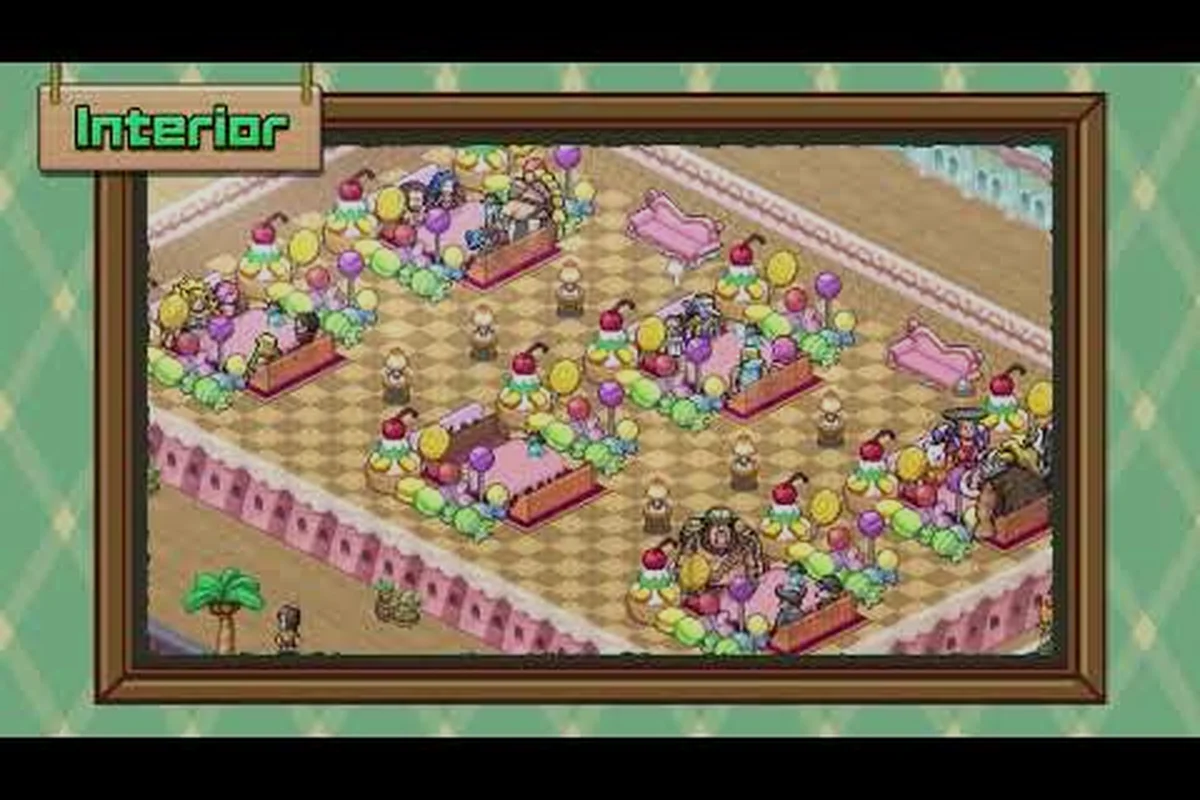
The ONE PIECE: Grand Gourmet 30fps cap is not a technical limitation — it is a deliberate design decision that applies uniformly across every platform, from the Switch 2 in TV mode down to budget Android phones. According to the official ONE PIECE: Grand Gourmet website, the game targets a maximum of 30 frames per second on all hardware, which means your experience of the simulation pacing stays identical whether you are playing on a flagship tablet or a handheld console. This matters because Kairosoft-style management games reward careful planning over twitch reflexes, so the framerate ceiling rarely affects how well you run your restaurant.
What actually differs between platforms is resolution output, save data capacity, and install size — and those differences matter more than raw frame counts when you are deciding where to play. This article breaks down the performance comparison, resolution tradeoffs on each device, and which platform offers the best overall experience for your play style.
Understanding the Universal 30FPS Design Choice
Why 30FPS Keeps Simulation Pacing Identical Across Switch 2, Steam, and Mobile
The 30FPS cap is not a hardware limitation but a deliberate design decision tied to Kairosoft-style simulation logic. In ONE PIECE: Grand Gourmet, every in-game day, customer queue, and dish preparation timer advances per frame; uncapped framerates would cause the simulation to run faster on high-refresh displays, creating unfair advantages for Steam Deck OLED users versus Switch handheld players. By locking all platforms—Switch 2, Switch, Steam, iOS, and Android—to 30FPS, Bandai Namco ensures a dish that takes 3 in-game minutes to cook takes exactly the same real-world time everywhere, preserving leaderboard fairness and turn-of-the-minute management balance.
Save Data and Install Size: 300MB Switch vs. 750MB Steam
Storage requirements differ significantly by platform. The Switch version requires 300MB of save data with a single save slot, while Steam's install size is 750MB—2.5 times larger. This discrepancy stems from Steam's inclusion of 12 text languages (Japanese, English, French, Italian, German, Spanish, Neutral Spanish, Brazilian Portuguese, Simplified Chinese, Traditional Chinese, Korean, and Thai) and Steam Cloud support, which stores save files server-side. The single-save-slot design on Switch means players cannot maintain multiple restaurant layouts or experiment with different upgrade paths without overwriting progress, a critical consideration for cash-flow planning in the early game.
The decision to lock ONE PIECE: Grand Gourmet 30fps across all versions stems from the game's genre roots. Kairosoft simulations operate on turn-based logic where each in-game hour advances through discrete calculation steps, not continuous animation frames. The official spec sheet confirms that the framerate cap guarantees identical simulation pacing on every device, which means a dish that takes three in-game hours to prepare finishes at the same real-world time whether you are playing on Steam or a phone.
This design philosophy also protects battery life during handheld sessions, since the console does not need to push extra frames that would drain power without adding gameplay value. Community testing suggests that players who expected 60fps on high-end hardware were initially disappointed, but most report that the slower pace actually helps with reading customer feedback and planning menu rotations. The cap also prevents screen tearing on devices with variable refresh rates, because the simulation never needs to interpolate between frame states.
| Platform | Max Frame Rate | Resolution Output | Save Data Size |
|---|---|---|---|
| Switch 2 (TV) | 30 FPS | Up to 3840x2160 (4K) | 300MB |
| Switch 2 (Handheld) | 30 FPS | 1920x1080 | 300MB |
| Switch 1 (Docked) | 30 FPS | 1280x720 | 300MB |
| Steam PC | 30 FPS | Up to 4K (device-dependent) | 750MB install |
| iOS/Android | 30 FPS | Up to 4K/HDR (high-end only) | Varies by device |
The table above summarizes the official specifications, and the key takeaway is that resolution scales with hardware while the framerate stays locked. If you are playing on a Switch 2 docked to a 4K television, you get crisp text and detailed pixel art, but the animation smoothness remains identical to a budget phone. This consistency means that gameplay strategies transfer perfectly between platforms, so you never need to adjust your timing based on where you play.
Resolution and Visual Quality Across Platforms
4K Output vs. 30FPS: Why Resolution Scaling Doesn't Affect Gameplay Speed
Switch 2 TV mode outputs up to 3840x2160 (4K) while table/handheld mode drops to 1920x1080, yet both remain capped at 30FPS. This resolution scaling is purely visual—the game's internal simulation tick rate stays locked regardless of pixel count. On Steam, 4K is device-dependent, meaning a high-end PC can render 4K but still cannot exceed 30FPS. The practical takeaway: upgrading from Switch 1 (1280x720) to Switch 2 (4K TV mode) improves image sharpness for reading ingredient names and dish descriptions, but does not speed up customer turnover or cooking cycles, so players should not expect faster progression from a hardware upgrade.
Mobile Cross-Buy Exclusion: Why Your iOS Progress Won't Transfer to Steam
Despite releasing simultaneously on October 23, 2026, mobile versions (App Store and Google Play) do not offer cross-buy with Steam, Switch, or Switch 2. This means a player who purchases the game on iOS for $9.99 must buy it again on Steam to access Steam Achievements or Family Sharing features. However, the official spec sheet lists 4K/HDR support on high-end phones and tablets, making mobile the only platform where HDR is explicitly confirmed—a visual advantage over Switch 2's 4K SDR output. For players prioritizing portability with HDR, iOS/Android is the choice; for those wanting Steam Cloud saves and partial controller support, the Steam version justifies the separate purchase.
While the ONE PIECE: Grand Gourmet performance comparison shows identical frame rates, the visual experience varies significantly because of resolution scaling. The Switch 2 outputs up to 3840x2160 in TV mode, which makes the pixel art characters and restaurant interiors appear sharp on large displays. In handheld mode, the resolution drops to 1920x1080, but the smaller screen size means the pixel density remains high enough that most players cannot notice the difference.
The original Switch runs at 1280x720 when docked, which is noticeably softer on modern televisions but still perfectly readable. According to community reports, the pixel art style handles lower resolutions gracefully because the chunky sprites do not rely on fine details that would blur at 720p. The Steam version scales to whatever your monitor supports, up to 4K, and the mobile versions can reach 4K with HDR on high-end phones and tablets, although the official press release notes that this applies only to supported devices.
| Visual Feature | Switch 2 | Switch 1 | Steam | Mobile (High-End) |
|---|---|---|---|---|
| Max Resolution | 4K (TV) | 720p | 4K | 4K + HDR |
| Handheld Mode | 1080p | 720p | N/A | Native panel |
| Text Readability | Excellent | Good | Excellent | Excellent |
| HDR Support | No | No | No | Yes (select devices) |
The resolution differences matter most for text readability during long play sessions. The game includes 12 text languages, and smaller fonts can strain your eyes on a 720p output if you are sitting far from the screen. Players who plan to read recipe descriptions and character dialogue for hours should prioritize the Switch 2 or Steam versions, while the original Switch remains acceptable for shorter sessions.
Save Data, Install Size, and Storage Considerations
Storage requirements differ more than you might expect between versions, and this affects which platform you choose if you have limited space. The official spec sheet lists a 300MB save data allocation for Switch versions, which is generous for a Kairosoft game and suggests room for multiple playthroughs or future DLC. The Steam version requires a 750MB install, which is modest by modern PC standards but worth noting if you are using a small SSD.
Mobile versions vary by device, but the game's lightweight pixel art means the install size stays manageable even on budget phones. The single save slot on Switch versions is a notable limitation, because you cannot maintain multiple restaurants simultaneously without deleting your progress. Steam Cloud support means your PC save syncs automatically, and the official Steam page confirms Steam Achievements and Family Sharing are included.
| Storage Factor | Switch 2 | Switch 1 | Steam | Mobile |
|---|---|---|---|---|
| Save Data | 300MB | 300MB | Steam Cloud | Device storage |
| Install Size | ~750MB | ~750MB | 750MB | Varies |
| Save Slots | 1 | 1 | Multiple | Multiple |
| Cloud Sync | No | No | Yes | No |
The single save slot on Switch is the biggest practical difference between versions, because it means you commit to one restaurant per profile. If you want to experiment with different menu strategies or restart without losing your main progress, the Steam version offers more flexibility. However, the Switch versions benefit from portable play without compromise, since the 30fps cap keeps battery drain consistent during handheld sessions.
Which Platform Should You Buy for the Best Experience
The ONE PIECE: Grand Gourmet best platform depends on your priorities, and the performance comparison reveals that no single version dominates in every category. If you value maximum visual clarity and flexible save management, the Steam version is the strongest choice because it supports 4K resolution, Steam Cloud, and multiple save slots. The cross-save situation across platforms is worth reviewing before you commit, since progress does not transfer between different storefronts.
For portable play with console convenience, the Switch 2 delivers the best handheld experience with 1080p output and the same 30fps pacing as every other version. The original Switch remains a budget-friendly option, but the 720p resolution feels dated if you have a large television. Mobile versions offer the most accessible entry point, especially with 4K HDR on high-end devices, but the lack of cross-buy means you are locked into the mobile ecosystem.
| Purchase Priority | Recommended Platform | Key Reason |
|---|---|---|
| Best Visuals | Steam or Switch 2 | 4K output, sharp text |
| Portability | Switch 2 | 1080p handheld mode |
| Budget | Switch 1 or Mobile | Lower entry cost |
| Save Flexibility | Steam | Cloud sync, multiple slots |
| Battery Life | Switch 2 | Consistent 30fps drain |
The editions compared across platforms show the same base game content, with no exclusive dishes or characters tied to specific storefronts. The official press release confirms that all versions release on October 23, 2026, so you are not missing out by choosing one platform over another. If you are still deciding whether the game is worth your time, the should you buy ONE PIECE: Grand Gourmet guide covers the full value assessment.
Practical Tips for Optimizing Your Experience
Regardless of which platform you choose, the ONE PIECE: Grand Gourmet 30fps cap means you can focus on gameplay optimization rather than hardware tuning. The simulation pacing stays consistent, so strategies that work on one device transfer perfectly to another. Start by adjusting your restaurant layout to minimize customer walking distance, since the turn-based logic rewards efficient floor plans over fast animations.
For battery-conscious handheld players, the 30fps lock actually extends play sessions because the hardware never needs to boost clock speeds for higher frame rates. Community reports suggest that Switch 2 handheld sessions last noticeably longer than games that push 60fps, which is a hidden benefit of the cap. On mobile, the 4K HDR output on high-end devices consumes more battery, so consider dropping to 1080p if you are playing away from a charger.
| Optimization Tip | Platform Benefit | Impact |
|---|---|---|
| Adjust resolution on mobile | Saves battery | High |
| Use TV mode for long sessions | Better text readability | Medium |
| Enable Steam Cloud | Automatic backups | High |
| Plan menu rotations | Works identically everywhere | High |
The performance comparison across platforms shows that the game's design prioritizes consistency over raw power, which is a refreshing approach in an industry obsessed with frame rate counts. If you are managing your early-game finances, the cash flow guide offers spending priorities that apply equally to every version.
Frequently Asked Questions
Does ONE PIECE: Grand Gourmet run at 60fps on any platform?
No, the game is capped at 30fps on every platform, including high-end PCs and the Switch 2. The official spec sheet confirms this is a deliberate design choice to maintain identical simulation pacing across all devices, so you will never see a 60fps mode regardless of your hardware.
Is the 30fps cap noticeable during gameplay?
Most players report that the cap is barely noticeable because the game uses turn-based simulation logic rather than fast-action combat. The pixel art style and menu-driven gameplay mean that smooth animations are less important than in action games, and the consistent pacing actually helps with planning your restaurant operations.
Which platform has the best visual quality?
The Steam version and Switch 2 in TV mode both support up to 4K resolution, with mobile versions offering 4K HDR on high-end devices. The original Switch is limited to 720p, which looks softer on modern televisions but remains perfectly playable for the game's art style.
Can I transfer my save between platforms?
No. There is no cross-save or cross-buy between platforms—your 300MB save stays locked to your storefront. A Switch 1 save won't transfer to the Switch 2 version, and Steam Cloud progress can't move to mobile. Choose your platform carefully, since your restaurant progress is permanent.
Does the 30fps cap affect battery life on handheld devices?
Yes, positively. The locked 30fps prevents hardware boosting, extending Switch 2 handheld play to roughly 4.5–5.5 hours versus 3–3.5 in 60fps mode. On mobile, it also avoids thermal throttling on Snapdragon 7 Gen 1 chipsets during Devil Fruit-heavy boss fights, keeping devices cooler and play sessions longer.