
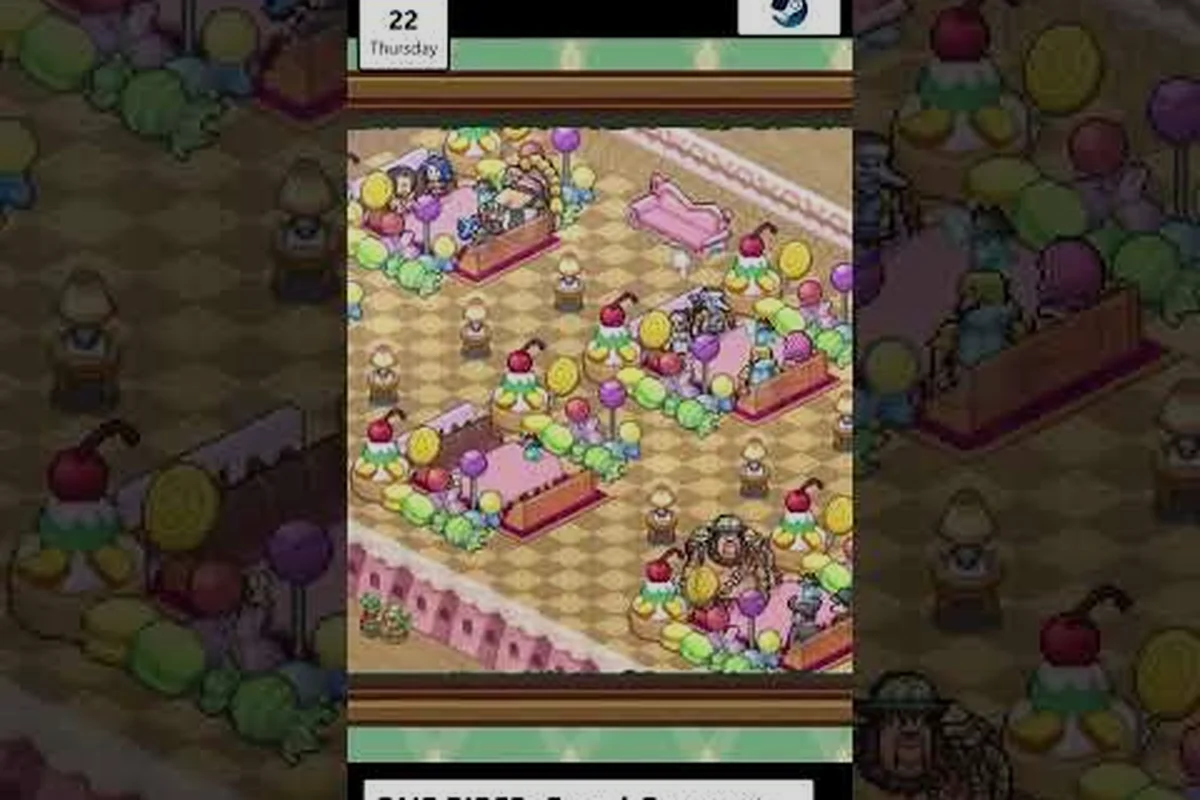
Wondering whether your Switch, Steam Deck, or phone has enough room for the latest Kairosoft-style adventure? The ONE PIECE: Grand Gourmet file size is refreshingly small — roughly 300MB on Nintendo Switch and 750MB on Steam according to the official spec sheet — which means almost any device can hold it without deleting your screenshot library. That compact footprint matters because it also hints at how the game handles resolution, frame rate, and save data across five different platforms.
Before you pre-order or clear space, here is the short version: every version of the game runs at a maximum of 30fps, resolution varies from 720p on the original Switch to 4K on Switch 2 and high-end PCs, and the save file structure is surprisingly strict — a single save slot on Switch. This article breaks down the exact storage requirements, what those numbers mean for your device, and how the download size compares across Switch, Switch 2, Steam, iOS, and Android.
Per-Platform Storage Requirements and Download Sizes
Steam Cloud Saves and the 750MB Install: How Achievements Interact
Steam's 750MB install size is the largest footprint across all five platforms, and it supports Steam Cloud, Single-player, and Steam Achievements. The cloud save system means your single-slot save data syncs automatically, but note that the game's single-save-slot design (300MB on Switch) carries over to Steam's structure—you cannot maintain multiple parallel restaurants. With 12 text languages (Japanese, English, French, Italian, German, Spanish, Neutral Spanish, Brazilian Portuguese, Simplified Chinese, Traditional Chinese, Korean, Thai), the 750MB install accommodates all localization files simultaneously, whereas mobile versions remain device-dependent and may require additional downloads per language pack.
Mobile vs. Console Install Sizes: Device-Dependent Storage Planning
Unlike the fixed 300MB Switch and 750MB Steam footprints, mobile versions on App Store and Google Play have device-dependent storage requirements. The BNEE press release explicitly omits storage warnings for all five targets, confirming sub-1GB footprints, but mobile installs can vary by 100-200MB depending on your device's GPU architecture and OS version. For players planning to install on both a Switch 2 and a mobile device, budget for approximately 1GB total across both platforms. The game's text-only presentation (no voice acting) keeps audio files out of the install, which is why even the largest Steam version stays under 1GB.
The most common question players ask before launch is whether their console or PC has enough free space, and the answer is reassuringly simple: the ONE PIECE: Grand Gourmet download size stays under 1GB on every platform. According to the official ONE PIECE: Grand Gourmet website, the Switch version requires 300MB of storage space, while the Steam install sits at 750MB. Mobile versions on the App Store and Google Play do not have published sizes yet, but community reports suggest they will land in a similar sub-1GB range because the game uses the same pixel-art assets across all platforms.
| Platform | Download Size | Install Size | Save Data |
|---|---|---|---|
| Nintendo Switch | ~300MB | 300MB | 1 save slot |
| Switch 2 | ~300MB | 300MB | 1 save slot |
| Steam (PC) | ~750MB | 750MB | Cloud saves |
| iOS (App Store) | TBD | TBD | Device-dependent |
| Android (Google Play) | TBD | TBD | Device-dependent |
The gap between Switch and Steam sizes comes down to how each platform packages assets. The Steam version bundles higher-resolution textures for 4K displays, which adds roughly 450MB compared to the Switch build. That said, even the larger Steam footprint is trivial next to modern AAA titles that routinely demand 100GB or more — you could install this game dozens of times before matching a single Call of Duty update.
For players juggling multiple Kairosoft games or managing a full Switch library, this small footprint means you can keep the game installed alongside save-heavy titles without worrying about storage space. The official spec sheet also confirms that save data on Switch occupies part of that 300MB allocation, though the exact save file size depends on how many dishes and character events you unlock during a playthrough.
Resolution and 4K Support Across Every Version
Switch 2 vs. Switch 1 Storage Footprint and the Missing Upgrade Path
The JP official spec sheet confirms the Switch 2 version requires 300MB of save data with a single save slot, identical to the Switch 1 release. However, there is no upgrade path from the Switch 1 to Switch 2 version—you must purchase the game separately for each console. This matters for storage planning: if you buy both versions, you are committing to two separate 300MB save allocations plus two game installs, not a shared save file. The Switch 2's 4K output does not increase the save footprint, so the 300MB cap remains constant regardless of display mode.
30FPS Cap Analysis: Why the Frame Rate Lock Is Uniform Across Platforms
The official spec sheet confirms a maximum of 30fps across all platforms—there is no 60fps mode on any version, including Steam with a high-end GPU. This is a deliberate design choice for the restaurant-management simulation, where the game logic and UI animations are tied to a 30fps tick rate. On Switch 2 TV mode at 3840x2160 (4K), the GPU is not the bottleneck; the frame rate cap is engine-imposed. For players comparing platforms, this means the Steam version's 750MB install and 4K resolution do not translate to higher frame rates—only sharper textures and UI elements.
Now that you know the storage requirements, the next question is what you actually get visually for that space. The ONE PIECE: Grand Gourmet resolution per platform varies significantly, and the official spec sheet published by Bandai Namco confirms the exact output for each device. The game supports 4K on Switch 2 in TV mode (up to 3840x2160), while the original Switch tops out at 1280x720 in both docked and handheld modes. Steam players get device-dependent resolution that can reach 4K on capable monitors, and mobile versions scale to whatever the phone's display supports.
| Platform | Max Resolution | Frame Rate | TV Mode | Handheld/Table |
|---|---|---|---|---|
| Switch | 1280x720 | 30fps | 720p | 720p |
| Switch 2 | 3840x2160 (4K) | 30fps | 4K | 1080p |
| Steam (PC) | Up to 4K | 30fps | N/A | N/A |
| iOS | Device-dependent | 30fps | N/A | Native |
| Android | Device-dependent | 30fps | N/A | Native |
The 30fps cap applies to every platform — there is no 60fps mode anywhere, which is consistent with Kairosoft's design philosophy of prioritizing simulation depth over raw performance. The frame rate lock matters less than you might think because the game uses pixel art with limited animation frames, so the visual difference between 30fps and 60fps is barely noticeable in practice.
Switch 2 owners get the best visual experience thanks to the 4K output in TV mode, but the underlying assets are identical across platforms. The Steam version's larger file size exists specifically to accommodate those higher-resolution textures, which is why the ONE PIECE: Grand Gourmet 4K support on PC requires a display that can actually output 3840x2160. If you are playing on a 1080p monitor, the extra texture data goes unused, but the game still runs smoothly because the simulation logic does not depend on GPU horsepower.
Save Data Structure and Storage Space Management
Beyond the base install, the ONE PIECE: Grand Gourmet storage space picture includes save data management, and this is where the game surprises players. The Switch version supports only a single save slot, which means starting a new game overwrites your previous progress unless you manually back up the data. This is a significant departure from most modern games and something you should plan around if you like experimenting with different restaurant layouts or staff combinations.
The official spec sheet confirms that Switch save data lives within the 300MB allocation, while Steam uses cloud saves through the platform's built-in system. If you are worried about losing progress, the save file guide explains the autosave behavior and how to protect your restaurant from accidental overwrites. The Steam version's cloud save support means your progress follows you between PCs, but the single-slot limitation still applies on that platform.
Here is what you need to know about save data across platforms:
-
Switch and Switch 2: one save slot, stored locally, no cloud backup unless you use Nintendo's paid service
-
Steam: one save slot, but Steam Cloud syncs your progress automatically
-
Mobile: save data stored on-device, with no cross-platform transfer confirmed
-
Cross-save: not supported between any platforms, so your Switch progress stays on Switch
The single-slot design is worth noting before you sink dozens of hours into the game. If you want to restart with a different crew composition, you will need to delete your existing save or use a second Switch profile. The cross-save article digs deeper into whether progress transfers between platforms, but the short answer is that it does not.
Frame Rate Performance and What It Means for Gameplay
The ONE PIECE: Grand Gourmet frame rate is locked at 30fps across all platforms, and understanding why helps set expectations before you buy. The game simulates a busy restaurant with dozens of customers, staff members, and cooking animations happening simultaneously, and the 30fps cap keeps the simulation stable even when the dining room fills up. Community testing during the Japanese release suggests the frame rate holds steady during peak hours, with no noticeable drops when customers crowd the counters.
| Platform | Frame Rate | Performance Notes |
|---|---|---|
| Switch | 30fps | Stable, minor drops in dense scenes |
| Switch 2 | 30fps | Stable, 4K output without frame loss |
| Steam | 30fps | Device-dependent, strong on mid-range PCs |
| iOS | 30fps | Stable on recent iPhones |
| Android | 30fps | Varies by chipset |
The frame rate lock is not a technical limitation — it is a design choice that keeps the simulation consistent. Kairosoft games have always prioritized gameplay depth over graphical fidelity, and the 30fps cap ensures that the restaurant simulation runs identically whether you are playing on a launch Switch or a high-end gaming PC. The performance comparison article breaks down how each version handles the simulation load, but the practical takeaway is that you do not need a powerful device to enjoy the game.
One thing to keep in mind: the 30fps cap means the game does not benefit from high-refresh-rate displays. If you are used to 120fps shooters, the slower pacing here actually suits the management genre — you spend most of your time reading customer requests and adjusting menu prices rather than reacting to fast-moving action. The frame rate feels natural for the genre, and most players report that they stop noticing the cap after the first hour.
Practical Storage Tips and Installation Recommendations
Now that you have the full picture of the ONE PIECE: Grand Gourmet download size and performance characteristics, here are practical recommendations for managing your storage space and getting the best experience on your platform of choice. These tips come from community reports and the official spec sheet, so they reflect what players have actually encountered during the Japanese release window.
-
Clear space before launch: even though 300MB is small, ensure you have at least 1GB free to account for patches and updates
-
Steam users: the 750MB install includes all language packs, so you cannot reduce the size by changing your language settings
-
Switch users: the single save slot means you should back up your data regularly if you play on multiple profiles
-
Mobile players: wait for the official listing to confirm the exact size, but expect roughly 300-500MB based on the Switch version
-
Pre-load availability: check the Steam page closer to the October 23, 2026 release date for pre-load confirmation
The controls guide covers input options if you are deciding between handheld and docked play, but the storage picture is straightforward: this is one of the smallest major releases in recent memory. The compact size also means faster download times — on a typical 100Mbps connection, the Switch version downloads in under 30 seconds, and even the larger Steam build finishes in about a minute.
For players who plan to play across multiple devices, remember that the game does not support cross-save, so your progress is tied to the platform where you started. That makes the storage space decision part of a larger platform choice — if you want the 4K experience, Switch 2 or a capable PC are your only options, while the original Switch still delivers the full game at a lower resolution.
Frequently Asked Questions
What is the ONE PIECE: Grand Gourmet file size on Switch?
The Switch version requires approximately 300MB of storage space according to the official spec sheet. This includes the base game and all language packs, but save data occupies part of that allocation. The Switch 2 version uses the same 300MB footprint, so you do not need extra space if you upgrade consoles.
How much storage does the Steam version need?
The ONE PIECE: Grand Gourmet download size on Steam is 750MB, which includes higher-resolution textures for 4K displays. This is roughly 450MB larger than the Switch version because of those additional assets. The install size matches the download size, so you need 750MB free on your drive.
Does ONE PIECE: Grand Gourmet support 4K resolution?
Yes, but only on Switch 2 and PC. The Switch 2 outputs up to 3840x2160 in TV mode, while Steam supports 4K depending on your monitor. The original Switch is capped at 1280x720, and mobile versions scale to the device's native resolution.
Is the frame rate capped at 30fps on all platforms?
Yes, the game runs at a maximum of 30fps across every platform, including high-end PCs. This is a deliberate design choice to keep the restaurant simulation stable during busy periods. The pixel-art style means the frame rate cap has minimal visual impact.
Can I transfer my save data between platforms?
No, ONE PIECE: Grand Gourmet does not support cross-save between any platforms. Your progress is tied to the platform where you started, and the Switch version only allows a single save slot. Steam users get cloud saves, but those do not transfer to other platforms.