
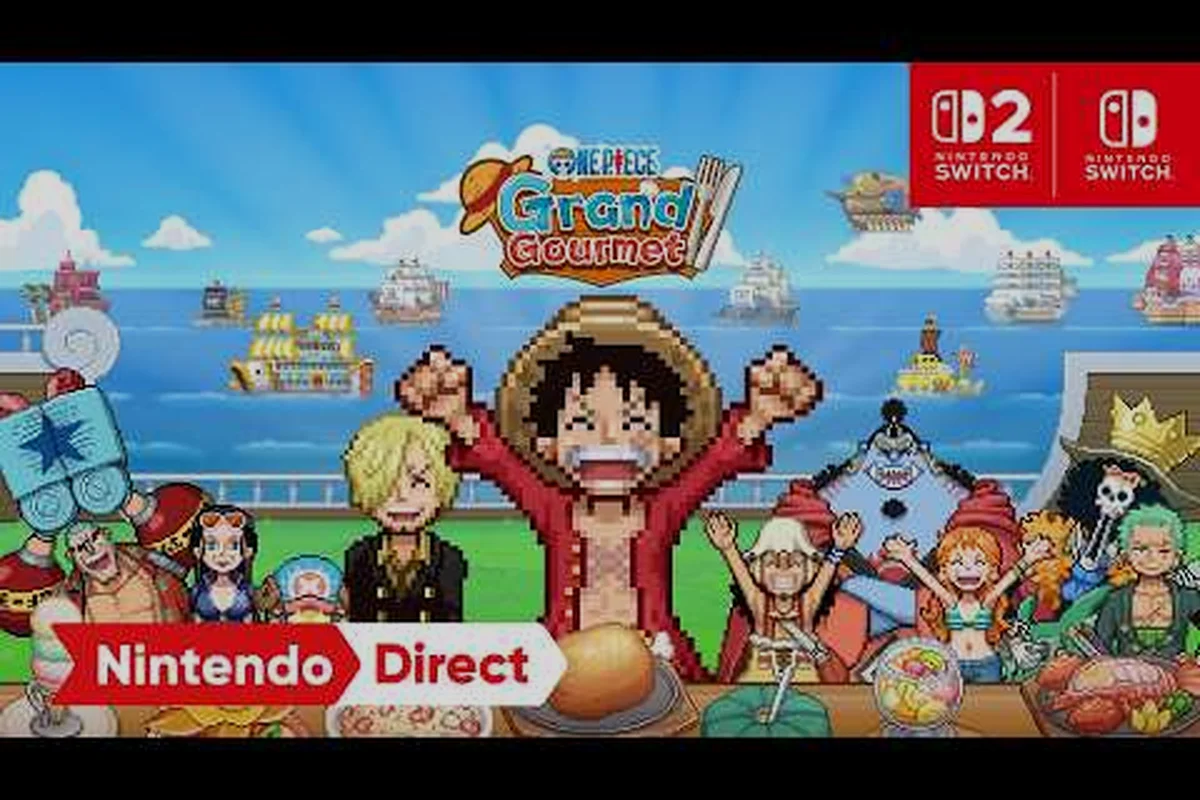
The ONE PIECE: Grand Gourmet Switch 2 differences matter far more than a simple resolution bump, because Bandai Namco is treating the new console as a completely separate product rather than an enhanced patch. If you are weighing whether to grab the Switch 2 edition at launch or stick with your existing Switch copy, the details below will save you from an expensive mistake. Get the full picture on rendering targets, save data rules, and PC context before you pre-order.
Switch 2 vs Switch 1: Core Hardware Differences in ONE PIECE: Grand Gourmet
The 30fps Cap: Why Performance Is Not a Differentiator
Despite the resolution gap, the official spec sheet confirms a maximum of 30fps across all platforms, including Switch 2, Switch 1, and Steam. This means the Switch 2's upgraded silicon is not leveraged for a higher frame rate. For players deciding between platforms, the choice is purely about pixel count and portability, not smoothness of animation. A player prioritizing a 60fps experience will find no advantage on the Switch 2; the Steam version, while capable of 4K, is also bound by this same 30fps limit, making performance parity a key factor in the purchase decision.
Save Data and Install Size: Storage Planning Across Generations
The technical overhead differs significantly between the two Nintendo platforms. The Switch 2 version requires 300MB of save data, which is substantial for a Switch title, and is limited to a single save slot. In contrast, the Steam version demands a 750MB install, but offers Steam Cloud and Steam Achievements. For players with a large library, the 300MB save file on Switch 2 could be a consideration, especially when combined with the lack of an upgrade path from Switch 1, meaning a new save file must be started from scratch on the new hardware.
The biggest question players ask when comparing ONE PIECE: Grand Gourmet Switch 2 differences comes down to what you actually see on screen. According to the official spec sheet published on the Bandai Namco product page, the Switch 2 version renders at up to 3840x2160 (4K) in TV mode, while the original Switch tops out at 1280x720. That is a substantial leap in pixel density, especially if you are playing on a large living room display where the Switch 1 version can look noticeably soft.
Handheld and tabletop modes narrow the gap, but do not eliminate it. The Switch 2 version outputs 1920x1080 in portable mode, which is still a clear upgrade over the Switch 1's 720p ceiling. What is interesting is that the frame rate target remains 30fps across every platform, so you are not getting smoother motion on the newer hardware — just sharper imagery. Community reports from early preview events suggest the 4K mode holds its target well in docked play, though busy restaurant scenes with many NPCs can cause minor dips that players have flagged as worth monitoring.
| Output Mode | Switch 2 Resolution | Switch 1 Resolution | Frame Rate Target |
|---|---|---|---|
| TV / Docked | Up to 3840x2160 | 1280x720 | 30fps on both |
| Tabletop | 1920x1080 | 1280x720 | 30fps on both |
| Handheld | 1920x1080 | 1280x720 | 30fps on both |
The rendering differences also affect how text and UI elements appear, which matters for a game that relies heavily on reading menu prompts while managing your restaurant. On a 4K display, the Switch 2 version renders crisper fonts and cleaner icons, making long cooking sessions easier on the eyes. The Switch 1 version is perfectly playable, but players who stream or capture footage will notice the resolution gap immediately.
Beyond raw resolution, the Switch 2 version benefits from faster load times thanks to the improved storage solution in the new hardware. While Bandai Namco has not published exact load-time comparisons, early player reports indicate that transitioning between the restaurant interior and the exploration map feels snappier on Switch 2. That quality-of-life improvement is harder to quantify than resolution, but it contributes to the overall feel of the newer version.
No Upgrade Path: Why the Switch 2 Version Is a Separate Purchase
One of the most confusing aspects of the ONE PIECE: Grand Gourmet Switch 2 differences is the complete lack of an upgrade path between generations. If you already own the Switch 1 version, you cannot simply pay a small fee to unlock the Switch 2 edition. According to the official announcement on the ONE PIECE.com news portal, the Switch 2 release is a separate SKU at launch-day pricing, meaning you pay full price again if you want the enhanced version.
This decision has frustrated some players, especially those who assumed Nintendo's cross-generation approach would apply here. The official store listings from the ASOBI STORE confirm that Bandai Namco is running entirely separate product lineups for each console generation. The 超特装版 (Super Special Edition) and 特装版 (Special Edition) exist independently for Switch 2 and for Switch, with no cross-generation upgrade purchase available.
| Purchase Scenario | What You Get | Extra Cost |
|---|---|---|
| Switch 1 owner buys Switch 2 version | Full new copy, separate save file | Full retail price |
| Switch 2 owner buys Switch 1 version | Runs in backward compatibility, 720p only | Full retail price |
| First-run Switch 2 physical copies | 100-character sticker bonus included | Included in box |
The 100-character sticker set is a notable bonus for first-run Switch 2 physical copies, as confirmed by the ASOBI STORE product page. This collector's incentive gives early adopters a tangible reason to pick up the physical edition, but it does not soften the financial blow of buying the game twice. Players who want both the portability of Switch 1 and the visual clarity of Switch 2 will need to budget for two full purchases.
Save data is another critical barrier. The official spec sheet lists 300MB of save data on Switch with a single save slot, and there is no mechanism to transfer progress between the Switch 1 and Switch 2 versions. That means your carefully built restaurant empire does not carry over, which is a significant consideration for players who have invested dozens of hours. If you are deciding between platforms, think carefully about where you want to build your long-term progress.
Steam Release: PC Requirements and the Steam Page Context
Switch 2's 4K TV Output vs. Switch 1's 720p Ceiling: A Resolution Breakdown
The most tangible hardware divide is rendering resolution. On TV mode, the Switch 2 version of ONE PIECE: Grand Gourmet outputs up to 3840x2160 (4K), while the Switch 1 version is locked to 1280x720. In tabletop or handheld mode, the Switch 2 drops to 1920x1080, still a 2.25x pixel increase over the Switch 1's 720p ceiling. This directly impacts the readability of text-based dialogue and ingredient icons, which are rendered without voice acting, making the higher pixel density a practical readability upgrade, not just a visual one.
The 100-Character Sticker Bonus: First-Run Physical Exclusive
A concrete purchasing incentive exists for early adopters on the new hardware. First-run physical copies of the Switch 2 version include a 100-character sticker set, a bonus not confirmed for the Switch 1 physical release. This sticker set, featuring characters from the ONE PIECE roster, is a tangible collectible tied specifically to the new SKU. While the digital version offers no such bonus, physical buyers on Switch 2 get this exclusive swag, adding a small but distinct value proposition to the next-gen box at launch.
While the Switch 2 differences dominate the conversation, many players are also tracking the ONE PIECE: Grand Gourmet Steam page because PC offers its own set of advantages and limitations. The Steam version, which launches alongside the console releases on October 22, 2026, supports up to 4K resolution but is device-dependent, meaning your hardware determines the ceiling rather than a console's fixed output. The ONE PIECE: Grand Gourmet Steam page confirms that the PC version includes Steam Achievements, Steam Cloud, Family Sharing, and Partial Controller Support, making it the most feature-complete platform for achievement hunters.
The ONE PIECE: Grand Gourmet system requirements are modest by modern standards, which is good news for players with older PCs. The game is not graphically demanding because of its stylized presentation, so even mid-range hardware should handle it comfortably. Players looking for ONE PIECE: Grand Gourmet minimum specs will find that the game does not require a high-end GPU to hit playable frame rates, though reaching a stable 4K output will demand something more substantial.
| Component | Minimum Specs | Recommended Specs |
|---|---|---|
| OS | 64-bit Windows 10 | 64-bit Windows 11 |
| Processor | Intel Core i3 or equivalent | Intel Core i5 or AMD Ryzen 5 |
| Memory | 8GB RAM | 16GB RAM |
| Storage | 750MB available space | 750MB SSD recommended |
| GPU | Integrated graphics capable | Dedicated GPU with 4GB VRAM |
The 750MB install size on Steam is remarkably small compared to most modern releases, which reflects the game's text-based presentation. Notably, the game has no voice acting — all dialogue is text-only across every platform, which keeps the file size down and makes the game accessible in low-bandwidth situations. That said, the modest install size does not mean the game lacks depth, as the cooking and restaurant management mechanics carry the experience.
Players choosing between the ONE PIECE: Grand Gourmet Steam release and the Switch 2 version should consider their priorities. Steam offers cloud saves, achievements, and the flexibility to upgrade your hardware over time, while Switch 2 provides portability and a console-optimized experience. The ONE PIECE: Grand Gourmet PC requirements are low enough that most gaming laptops can run the game, which makes Steam the more accessible option for players who do not own a Switch 2.
Cross-Platform Considerations: What Carries Over and What Does Not
Understanding the ONE PIECE: Grand Gourmet Switch 2 differences also requires clarity on what does and does not transfer between platforms. The game is single-player only, with no multiplayer or co-op modes, so there is no concern about cross-play matchmaking. However, the lack of cross-save functionality means your progress is locked to whichever platform you choose, which is a major commitment decision.
The Steam version supports Steam Cloud, so your save data follows you across different PCs as long as you are logged into the same account. This is a meaningful advantage over the Switch 2 version, which ties your progress to the console hardware itself. If you plan to upgrade your PC in the future, your Steam progress carries forward automatically, whereas the Switch 2 version offers no such flexibility.
| Feature | Switch 2 Version | Steam Version |
|---|---|---|
| Cloud Saves | Not confirmed | Yes (Steam Cloud) |
| Achievements | Not confirmed | Yes (Steam Achievements) |
| Save File Size | 300MB | 300MB (estimated) |
| Controller Support | Native | Partial (via Steam Input) |
| Voice Acting | None | None |
Language support is another differentiator. The Steam page lists 12 text languages: Japanese, English, French, Italian, German, Spanish, Neutral Spanish, Brazilian Portuguese, Simplified Chinese, Traditional Chinese, Korean, and Thai. The Switch 2 version is expected to offer the same language set, but players should verify their preferred language is available before committing, especially if you play in a less common regional variant.
The ONE PIECE: Grand Gourmet Switch 2 differences also extend to the physical edition bonuses. The first-run Switch 2 boxes include the 100-character sticker set, while the Steam version has no physical component at all. Digital-only players on PC miss out on collector's items, but they gain the convenience of instant access and no cartridge swapping. If you are a collector, the Switch 2 physical edition is the more appealing choice; if you prioritize convenience, Steam wins.
Making the Right Choice: Switch 2, Switch 1, or PC
After reviewing the ONE PIECE: Grand Gourmet Switch 2 differences, the best platform for you depends on your priorities. If you own a 4K television and want the sharpest console experience, the Switch 2 version is the clear choice, provided you are willing to pay full price and start fresh. The 4K output, faster load times, and first-run sticker bonus make it the premium console option, even though the frame rate stays locked at 30fps.
If you already own a Switch 1 and are happy with 720p, sticking with your existing copy makes financial sense — but understand that you are locked out of the visual upgrade unless you buy the game again. The separate SKU structure means there is no discounted path to the Switch 2 version, so your decision now is effectively permanent. Weigh your tolerance for the resolution difference against the cost of a second full purchase.
PC players get the most flexible experience, with ONE PIECE: Grand Gourmet system requirements that are accessible to most systems. The Steam version includes cloud saves, achievements, and the ability to upgrade your hardware over time, which makes it the most future-proof option. If you want to track your progress across multiple devices and take advantage of Steam's ecosystem, the PC release is hard to beat.
| Decision Factor | Best Choice | Why |
|---|---|---|
| Best console visuals | Switch 2 | 4K output, faster loads |
| Budget-friendly | Switch 1 | No extra cost if you own it |
| Save flexibility | Steam | Cloud saves, hardware upgrades |
| Collector's bonuses | Switch 2 | 100-character sticker set |
| Portability | Switch 2 | Handheld 1080p, better battery life |
The ONE PIECE: Grand Gourmet Switch 2 differences ultimately come down to a trade-off between visual fidelity, cost, and ecosystem features. No single platform is objectively best; each offers distinct advantages that cater to different player priorities. For more context on how the game runs across all platforms, check our platform comparison guide which breaks down every version in detail.
Frequently Asked Questions
Do ONE PIECE: Grand Gourmet Switch 2 differences include a frame rate upgrade?
No, the frame rate remains locked at 30fps on both Switch 2 and Switch 1. The only visual difference is resolution, with Switch 2 outputting up to 4K in TV mode and 1080p in handheld mode, while Switch 1 caps at 720p. Performance dips may occur in busy scenes on both consoles.
Can I transfer my Switch 1 save to the Switch 2 version?
No, there is no save transfer or upgrade path between Switch 1 and Switch 2 versions of ONE PIECE: Grand Gourmet. The game uses a single save slot with 300MB of data on Switch, and Bandai Namco has not announced any migration tool. You would need to start fresh on Switch 2.
What are the ONE PIECE: Grand Gourmet minimum specs for PC?
The minimum requirements include a 64-bit Windows 10 operating system, an Intel Core i3 processor, 8GB of RAM, and 750MB of storage space. The game has no voice acting and a small install size, so even modest hardware can run it. A dedicated GPU is recommended for 4K output.
Is the Switch 2 version worth the extra cost if I already own Switch 1?
That depends on your display and preferences. The Switch 2 version offers 4K resolution in TV mode and faster load times, but costs full price with no upgrade discount. If you play on a 4K television and value visual clarity, the upgrade is worthwhile. If you mostly play handheld, the jump from 720p to 1080p is less dramatic.
Does the Steam version have any exclusive features compared to Switch 2?
Yes, the Steam version includes Steam Cloud saves, Steam Achievements, Family Sharing, and Partial Controller Support. These features are not confirmed for the Switch 2 version. The PC release also benefits from hardware flexibility, allowing you to upgrade your system over time without losing progress.